

 (bottom of page)

CafeSaxophone Forum
Miscellaneous Mac OSX update to 'Big Sur' - caution
Apple have issued a major update to Mac OSX called 'Big Sur' which replaces Catalina.
SUMMARY: if you have data used by apps e.g. Adobe products or music software on the same drive that is used for your Time Machine back ups, be VERY careful.
DETAILS
I got caught by surprise by this and wasn't paying attention and thought it was an ordinary update. There is a major "feature" of this change which is causing me immense problems and I'm writing this as an advisory in case you encounter similar issues.
A major change of this update is how Time Machine works. In my case, I have a 4TB NAS drive designated as the target to write the back ups to. My Mac is only 500gb SSD on board, so it's more than enough. I also use the NAS drive to hold the bulk of my documents and all of my files for photos used by Light Room and Photoshop. The RAW files from my current camera are 50mb each, which is why they're on the NAS drive. The LR catalog is on the SSD, so you can quickly search the thumbnails, but it has to go to the NAS to get the full image file.
Apple have decided that the drive that is used by Time Machine can ONLY be used for Time Machine. Personally, I do not see how they can assume such a right as it is MY device.
This means that not only is the drive not visible in Finder, but you can't even log into it via the NAS drive's own app (Western Digital in my case). Worse, LR cannot see the files and all 30,000+ photos are showing as 'orphaned' and detached from their files. That means I am unable to access or process any of my photos.
Apple have suggested one solution, I may have worked out an alternative.
Apple solution: this will be done with the assistance of a support person on the phone tomorrow... Restore the Mac back to Catalina and then recover to last image copy/restore point.
Given that this is over wi-fi etc I am not confident that this will work, if it does then 30 or 40gb over wi-fi will take forever.
My solution: I have ordered a 4TB external HD. I will plug that into the USB3 port on the Mac and designate it as the Time Machine target. Once it has backed up, I think the NAS drive will become 'free' and accessible. This does not involve recovering back or a system restore.
I think my solution is less risky.
I will provide updates on progress.
SUMMARY: if you have data used by apps e.g. Adobe products or music software on the same drive that is used for your Time Machine back ups, be VERY careful.
DETAILS
I got caught by surprise by this and wasn't paying attention and thought it was an ordinary update. There is a major "feature" of this change which is causing me immense problems and I'm writing this as an advisory in case you encounter similar issues.
A major change of this update is how Time Machine works. In my case, I have a 4TB NAS drive designated as the target to write the back ups to. My Mac is only 500gb SSD on board, so it's more than enough. I also use the NAS drive to hold the bulk of my documents and all of my files for photos used by Light Room and Photoshop. The RAW files from my current camera are 50mb each, which is why they're on the NAS drive. The LR catalog is on the SSD, so you can quickly search the thumbnails, but it has to go to the NAS to get the full image file.
Apple have decided that the drive that is used by Time Machine can ONLY be used for Time Machine. Personally, I do not see how they can assume such a right as it is MY device.
This means that not only is the drive not visible in Finder, but you can't even log into it via the NAS drive's own app (Western Digital in my case). Worse, LR cannot see the files and all 30,000+ photos are showing as 'orphaned' and detached from their files. That means I am unable to access or process any of my photos.
Apple have suggested one solution, I may have worked out an alternative.
Apple solution: this will be done with the assistance of a support person on the phone tomorrow... Restore the Mac back to Catalina and then recover to last image copy/restore point.
Given that this is over wi-fi etc I am not confident that this will work, if it does then 30 or 40gb over wi-fi will take forever.
My solution: I have ordered a 4TB external HD. I will plug that into the USB3 port on the Mac and designate it as the Time Machine target. Once it has backed up, I think the NAS drive will become 'free' and accessible. This does not involve recovering back or a system restore.
I think my solution is less risky.
I will provide updates on progress.
58 Replies
·
4827 views

Saxophones The Alphabet of Tone
The Alphabet of Tone
words often encountered when one discusses or expresses an instruments tone....
Bright
Warm
Rich
Dark
Lush
Centered / Focused
Spread
what else have YOU heard?
words often encountered when one discusses or expresses an instruments tone....
Bright
Warm
Rich
Dark
Lush
Centered / Focused
Spread
what else have YOU heard?
2 Replies
·
46 views

Cafe Moderator
Café Supporter
Miscellaneous Daily Check In
Good morning,
We thought it might be good to have a thread where you can just come and say hi, tell us what you are doing today, have a moan, share an idea that you wouldn't necessarily start a thread for ( we can always create a new thread from posts here if it became a substantial discussion).
It doesn't have to be sax related🙂
Basically an easy way to connect on a daily basis.
So to kick us off, I am writing this whilst prepping a casserole for the slo cooker as I am playing sax today with café sax and need a quick easy tea when I get home.
I am still suffering with a cough which will impact my playing today and I am worried as we are playing our first care home gig next Sunday!!
Have a lovely Sunday
Jx
We thought it might be good to have a thread where you can just come and say hi, tell us what you are doing today, have a moan, share an idea that you wouldn't necessarily start a thread for ( we can always create a new thread from posts here if it became a substantial discussion).
It doesn't have to be sax related🙂
Basically an easy way to connect on a daily basis.
So to kick us off, I am writing this whilst prepping a casserole for the slo cooker as I am playing sax today with café sax and need a quick easy tea when I get home.
I am still suffering with a cough which will impact my playing today and I am worried as we are playing our first care home gig next Sunday!!
Have a lovely Sunday
Jx
2987 Replies
·
96100 views


Cafe Moderator
Cafe Announcements 📣 Testing new feature: Social Feed
As some of you have noticed we are testing a new forum feature that may or may not be made permanent. It is still under development so any critique, bug reports are welcome.
This is a different way of viewing recent posts, in a social media type view. This is never going to replace the existing traditional forum / subforum and new posts view, rather it's an alternative if you like that kind of view. So we don't need need an opinion on the feature itself. In fact I don't really like it myself. The reason is to make the forum more familiar and hopefully less perplexing for new users who may be used to this type of view but not the traditional forum format.
Currently the access to Social Feed is a sub menu item of New (along with the various different New views). You can also switch back and forth between the SF view and trad view via a link at the top of each thread. Social Feeds shows the latest started or replied to threads showing the first post and latest two or three replies. The Load More Replies link opens up each thread to show all replies (but we may reduce that to 10 or so at a time)
If you reply to a post in SF format it will show as "nested" but when viewing the same post in traditional view it will have the post it is replying to as a quote. (or rather, it should do with any luck)
Please supply any comments in this thread, so not interrupt normal threads with comments about the Social Feeds system.
Again: this is totally optional and will not replace any current view so we won't be taking a poll on whether you like/want it or not.
What will be most useful is if those of you who are used to this kind of feed with social media can comment in this thread which may be sticky for a while
This is a different way of viewing recent posts, in a social media type view. This is never going to replace the existing traditional forum / subforum and new posts view, rather it's an alternative if you like that kind of view. So we don't need need an opinion on the feature itself. In fact I don't really like it myself. The reason is to make the forum more familiar and hopefully less perplexing for new users who may be used to this type of view but not the traditional forum format.
Currently the access to Social Feed is a sub menu item of New (along with the various different New views). You can also switch back and forth between the SF view and trad view via a link at the top of each thread. Social Feeds shows the latest started or replied to threads showing the first post and latest two or three replies. The Load More Replies link opens up each thread to show all replies (but we may reduce that to 10 or so at a time)
If you reply to a post in SF format it will show as "nested" but when viewing the same post in traditional view it will have the post it is replying to as a quote. (or rather, it should do with any luck)
Please supply any comments in this thread, so not interrupt normal threads with comments about the Social Feeds system.
Again: this is totally optional and will not replace any current view so we won't be taking a poll on whether you like/want it or not.
What will be most useful is if those of you who are used to this kind of feed with social media can comment in this thread which may be sticky for a while
Do you use the social feed?
10 votes total
31 Replies
·
2086 views
Miscellaneous Photography - all aspects
Following various recent posts, I thought I would create a thread specifically for photography. Somewhere to talk about equipment, experiences, processing...
To start off, I was a Nikon user for over 40 years, but had to 'down size' as handling full-frame cameras and lenses was getting to be too much like hard work and giving me shoulder issues. My current digital camera is a mirrorless Fuji X-T5.
For film cameras, I have a Pentax MX, Mamiya RB67, and a Sinar F2.
To start off, I was a Nikon user for over 40 years, but had to 'down size' as handling full-frame cameras and lenses was getting to be too much like hard work and giving me shoulder issues. My current digital camera is a mirrorless Fuji X-T5.
For film cameras, I have a Pentax MX, Mamiya RB67, and a Sinar F2.
422 Replies
·
16450 views

I found this ancient Otto Langey Saxophone Fingering Chart, circa 1890, inside the case of a 1921 C Melody sax. The condition is poor, but it's still a cool find. I gather it's a fingering chart for those transitioning from the "older" 12-key saxophone to the "newer" 15-key layout. I don't see a date on this anywhere, so the 1890 guess came from the PC.
13 Replies
·
274 views

Saxophones Trying to date my Amati Kraslice Tenor
Hi everyone!
A coworker's grandma passed away and her family passed her Amati Kraslice Tenor on to me.
It looks quite old (for example: the whole thing is silber, but the inside of the bell is gold), but me and my friends didn't have any luck finding something with the serial number.
The serial number is: 43826
I've added some photos, maybe this will help 🙂
Thanks already!!

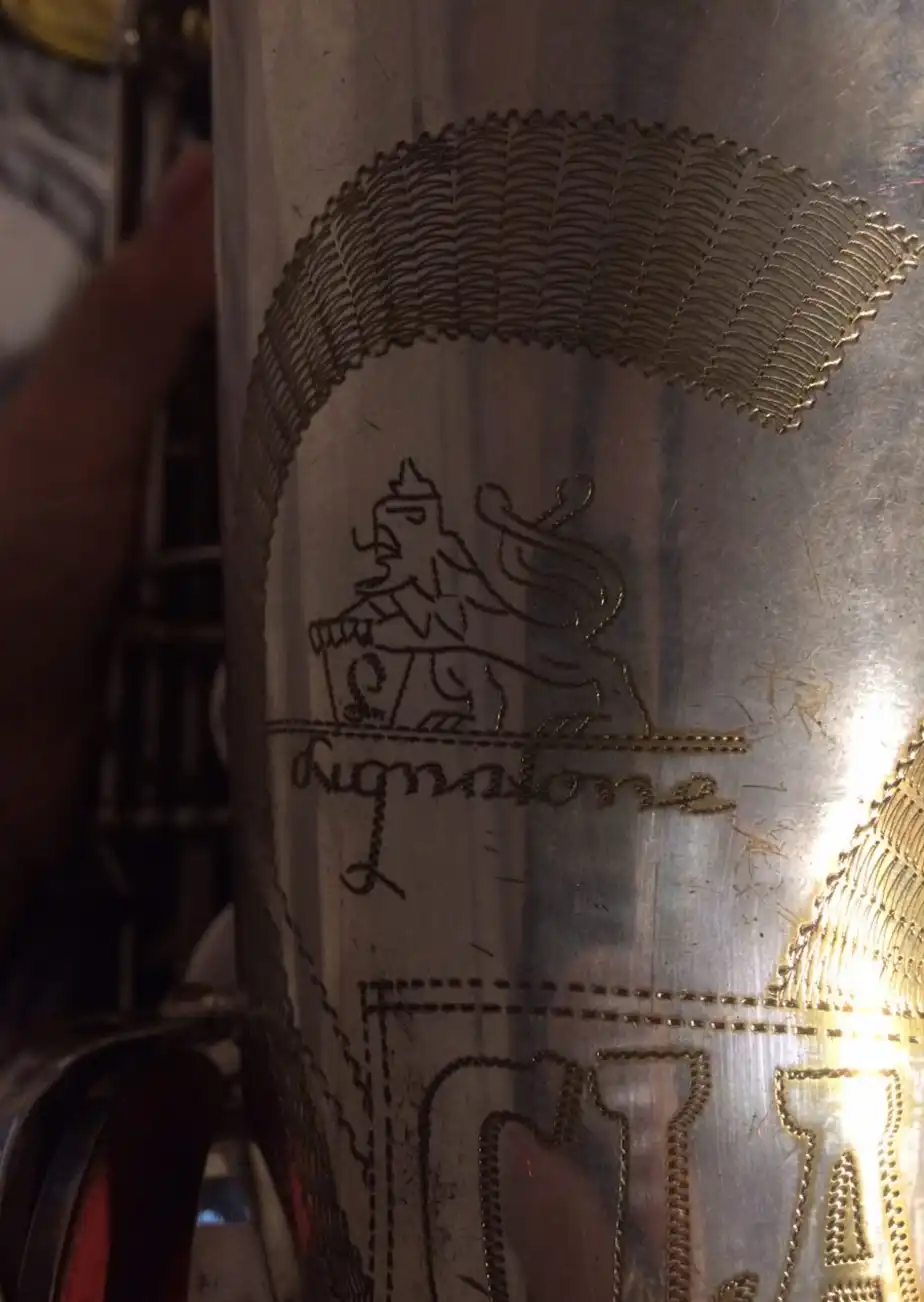
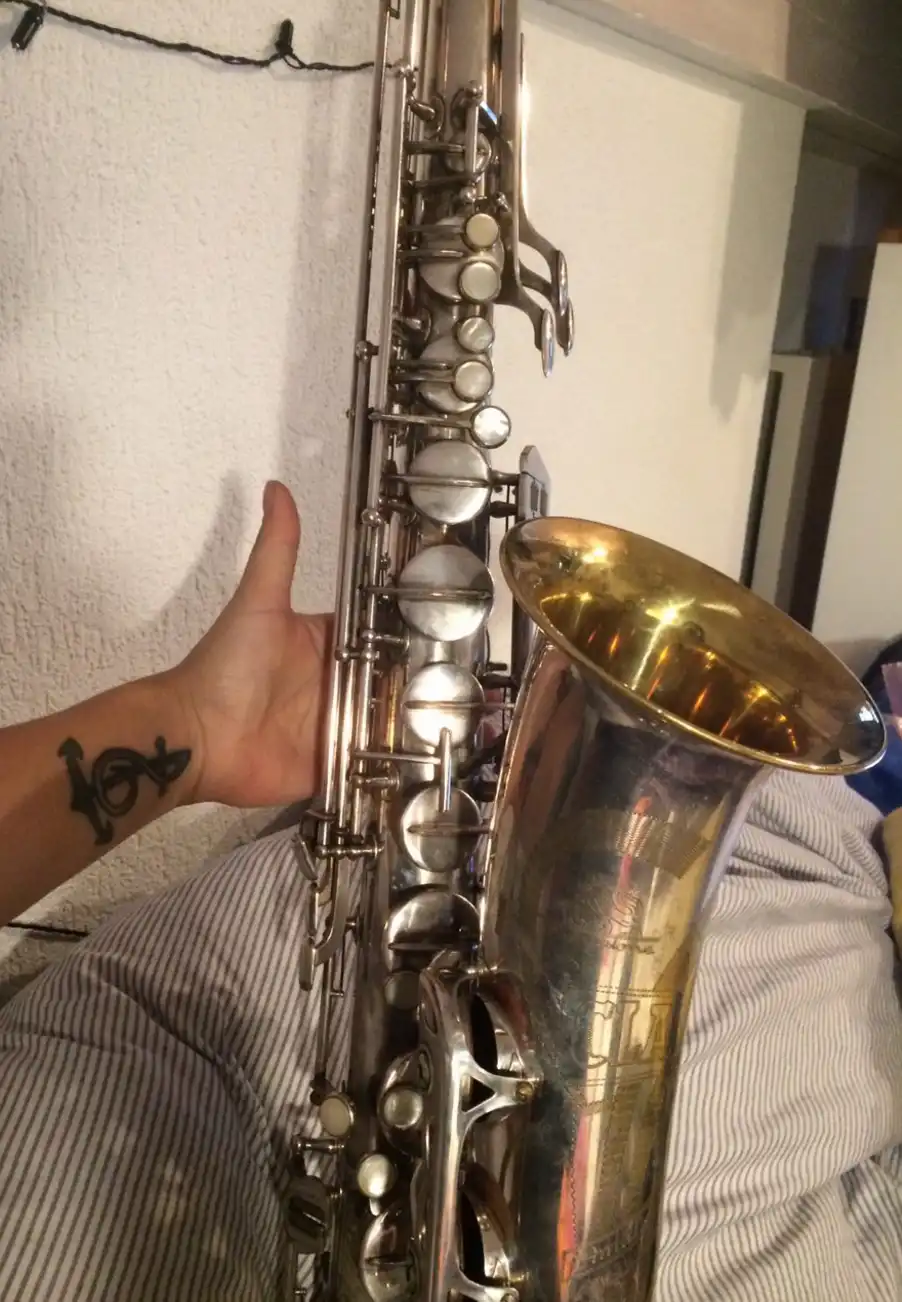
A coworker's grandma passed away and her family passed her Amati Kraslice Tenor on to me.
It looks quite old (for example: the whole thing is silber, but the inside of the bell is gold), but me and my friends didn't have any luck finding something with the serial number.
The serial number is: 43826
I've added some photos, maybe this will help 🙂
Thanks already!!
16 Replies
·
9941 views

Saxophones Franken-sax?
My primary instrument is Tuba. Among tuba players there are quite a few who build what are called Franken-Tuba's. Basically we find old junk, sometimes buy new components, and build homemade conglomerations.
Is this a thing in the saxophone community?
Is this a thing in the saxophone community?
14 Replies
·
268 views
Saxophones Alto for warm tone
Me again!
I'm curious to know - what alto do you think produces the warmest, most mellow tone?
No particular reason for asking just pure curiosity........
I'm curious to know - what alto do you think produces the warmest, most mellow tone?
No particular reason for asking just pure curiosity........
33 Replies
·
491 views

Tech/maintenance Super glued pads - a cry for help
Hello, folks. Many of you may know me from that other site.
A while back, I bought a nice, shiny purple logo Yts-32 from a guy in Japan. It arrived unplayable due to leaks. No prob, I think. I'll fix 'er right up. Wrong again.
The pads are glued in with ca glue. Lots of it, filling the cups. It is very hard and thick. I have scraped out a couple of pad cups. It was a long, tedious drudge. Acetone barely softens the surface.
Is there a better way?
A while back, I bought a nice, shiny purple logo Yts-32 from a guy in Japan. It arrived unplayable due to leaks. No prob, I think. I'll fix 'er right up. Wrong again.
The pads are glued in with ca glue. Lots of it, filling the cups. It is very hard and thick. I have scraped out a couple of pad cups. It was a long, tedious drudge. Acetone barely softens the surface.
Is there a better way?
33 Replies
·
440 views
Saxophones Pork Tales: Saxophone Repair DIY Adventures.
Tales from a pig that likes to stick his nose into everything.
Paint that S. How difficult could it be ?

1) Search the net.
2) Find the color.
3) Order color.
4) Study task on University of YouTube, aka; For destruction by DYI presented by pro tech.


Do the cleaning & prep.

Paint and cleanup / detail the edges with hard cotton swabs. Sounds easy……

Yeah tha guy Matt makes it look easy.
Anyone remember your first experience cooking bacon crispy while still in the frying pan !
Paint that S. How difficult could it be ?
1) Search the net.
2) Find the color.
3) Order color.
4) Study task on University of YouTube, aka; For destruction by DYI presented by pro tech.
Do the cleaning & prep.
Paint and cleanup / detail the edges with hard cotton swabs. Sounds easy……
Yeah tha guy Matt makes it look easy.
Anyone remember your first experience cooking bacon crispy while still in the frying pan !
1248 Replies
·
73705 views


Recipes What's Cookin'?
This is the one for pictures of food. Time for Superbowl chili!
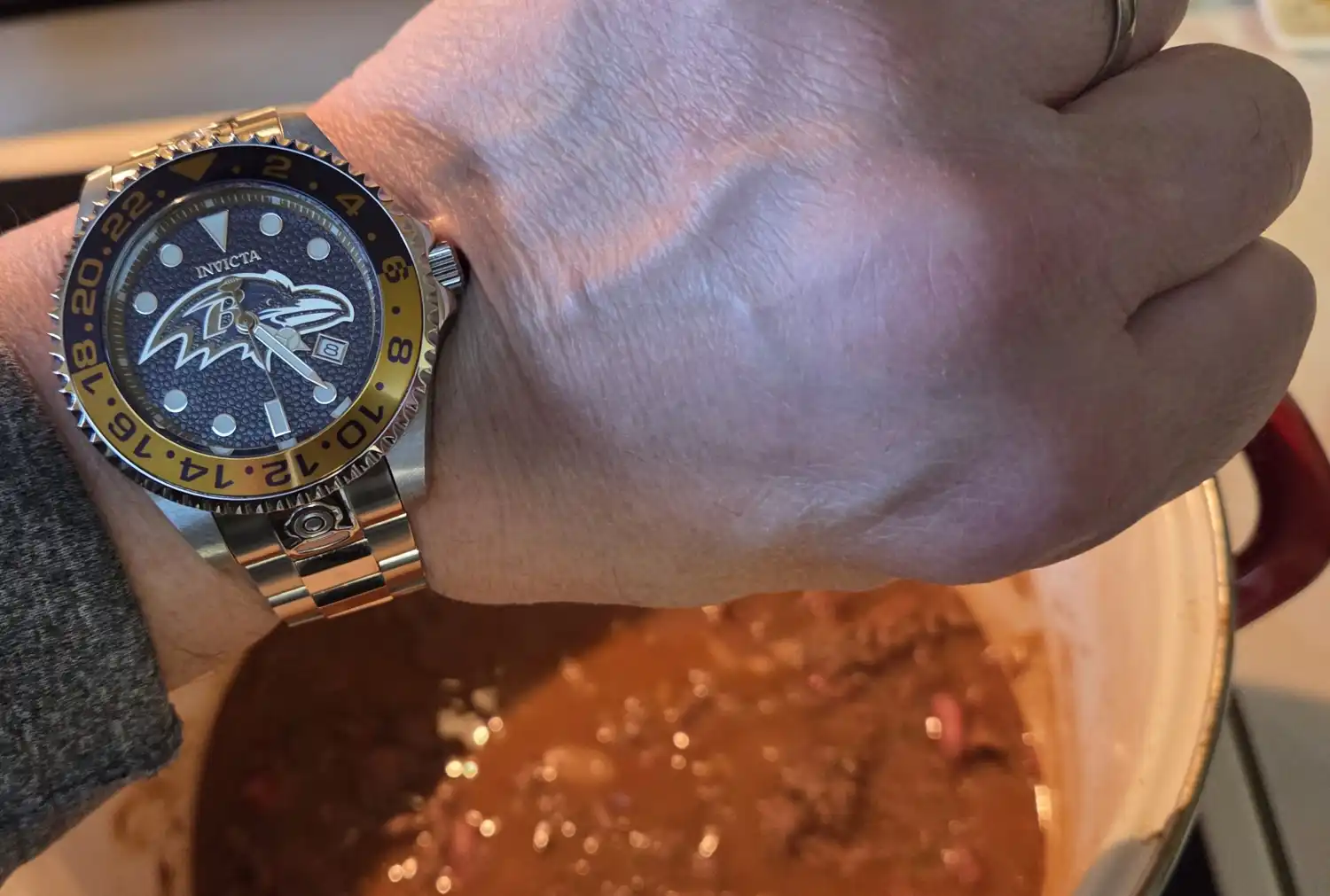
I make it every year for the game, whether I watch it or not. In a pot I actually won... at a chili contest.
Now how 'bout a bowl of red:
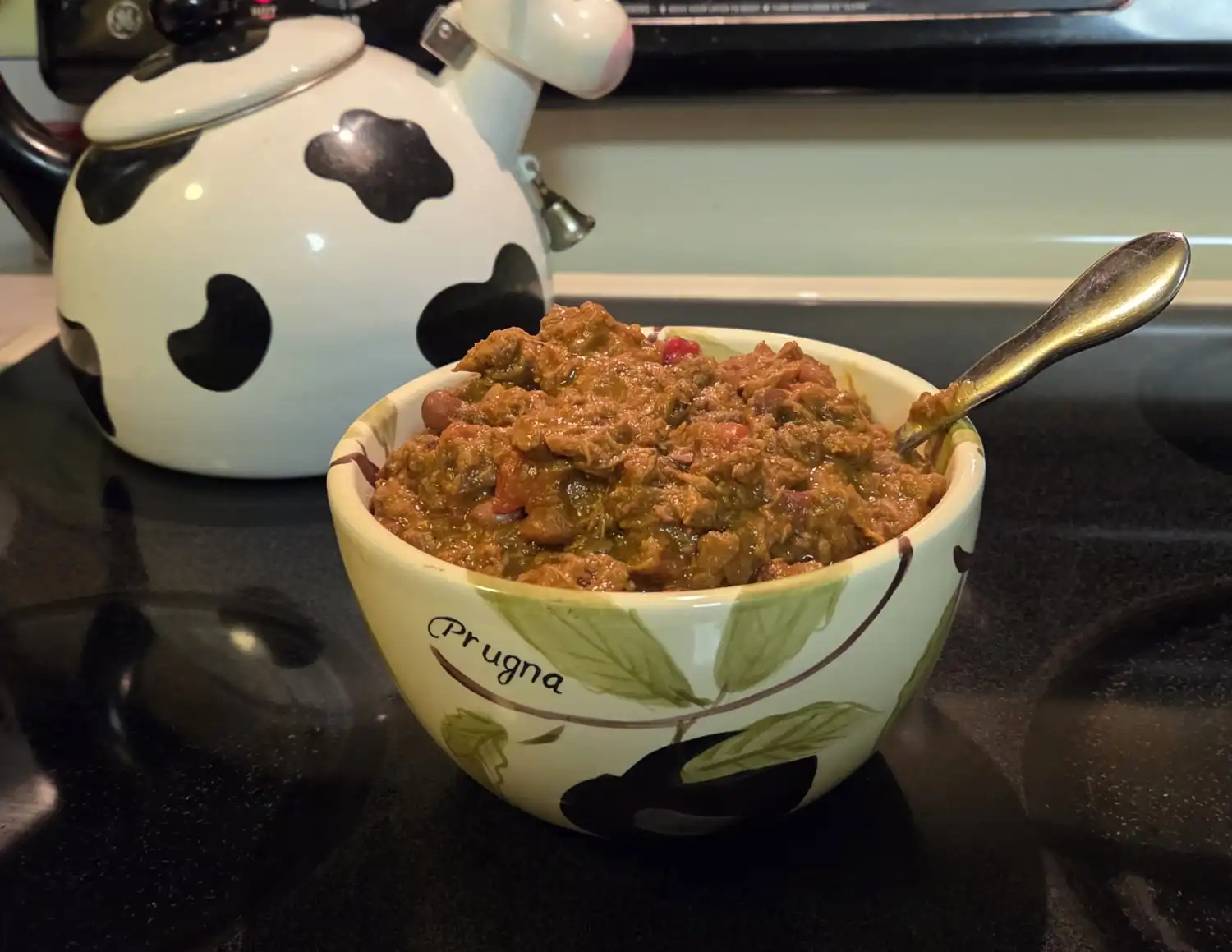
I make it every year for the game, whether I watch it or not. In a pot I actually won... at a chili contest.
Now how 'bout a bowl of red:
169 Replies
·
9527 views
Great Players Who sparked your love of Sax music
As an aside to Bobby's "first album' thread... I am curious to know which golden moment made you think "Now there's an instrument I fancy having a go at"
For me it was Tex Beneke. My parents used to play a lot of Glenn Miller when I was growing up. It was the only music I knew as a kid: big band stuff. Then I became a teenager and discovered Dick Parry's voice on Dark Side of the Moon, and thought "ok, this might be fun" After Dick it was Didier Malherbe from Gong and then my mate played me Charlie Parker and I was fully hooked!
For me it was Tex Beneke. My parents used to play a lot of Glenn Miller when I was growing up. It was the only music I knew as a kid: big band stuff. Then I became a teenager and discovered Dick Parry's voice on Dark Side of the Moon, and thought "ok, this might be fun" After Dick it was Didier Malherbe from Gong and then my mate played me Charlie Parker and I was fully hooked!
625 Replies
·
114693 views

I'm wondering if anyone's noticed a change in the consistency of Vandoren Java Red reeds recently? My last two boxes have been noticeably substandard, with the last box not having a single, decent reed in it. Resistance has increased noticeably and the sound is much less bright. I swapped in an old Red and it was great.
It feels like they've changed how they gauge the Reds, or changed the design slightly. Is it just me or has anyone had this recently?
It feels like they've changed how they gauge the Reds, or changed the design slightly. Is it just me or has anyone had this recently?
16 Replies
·
327 views
Social


Latest Song of the Month
-
 SOTM November 26 SOTM - Footprints - Wayne Shorter
- Started by sax panther
- Replies: 8
-
-
 SOTM SotM September 2026 - Autumn Leaves
- Started by mrblackbat
- Replies: 27
-

-

-
 SOTM SOTM June 2026 "And You Just Smile" (from ear to ear- training)
- Started by LostCircuits
- Replies: 11
-
 SOTM SOTM May 2026 - Always Remember Us This Way
- Started by MikeMorrell
- Replies: 39
-
 SOTM SOTM April 2026 - Freedom Jazz Dance
- Started by rhysonsax
- Replies: 14
-
SOTM SOTM and PETE (Play by Ear Training Exercise)
- Started by Wade Cornell
- Replies: 16
-
SOTM SOTM Feb 2026 - On Green Dolphin Street
- Started by mrblackbat
- Replies: 44
-
 SOTM SOTM January 2026: Our Love Is Here to Stay
- Started by GCinCT
- Replies: 46
-
SOTM SOTM December 2025: Wexford Carol
- Started by MikeMorrell
- Replies: 37
Member Blogs (currently active)
-
 Saxophones Pork Tales: Saxophone Repair DIY Adventures.
- Started by PigSquealer
- Replies: 1K
-

-
Trending


Popular Discussions
-
 Great Players Who sparked your love of Sax music
- Started by jools
- Replies: 625
-
 Playing the saxophone The Cafe Trio grown to Octet down to Sextet
- Started by trimmy
- Replies: 846
-
 Theory & Impro Do we really need theory?
- Started by jbtsax
- Replies: 507
-
 Saxophones C Melody Saxophones
- Started by Andy Hornblower
- Replies: 706
-
 Saxophones Carrying a tenor on a (motor)bike?
- Started by Jay
- Replies: 779
-
 Saxophones How will Tariffs affect Sax Prices?
- Started by Ivan
- Replies: 465
-

-
 Playing the saxophone Learn to play by ear or by reading music
- Started by Taz
- Replies: 1K
-
 Tech/maintenance My new "DIY" pads...
- Started by DavidUK
- Replies: 393
-
Misc Reviews Yamaha YDS-150 Wind Synth
- Started by Acc6441
- Replies: 301